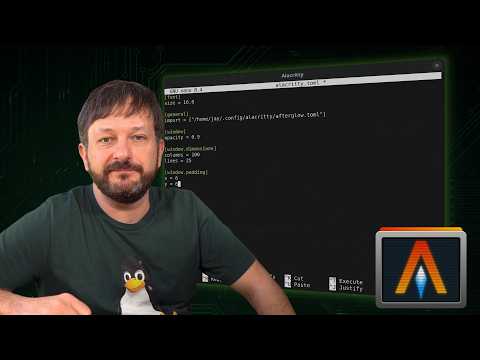
Alacritty is a blazing fast, GPU-accelerated terminal emulator for Linux — and in this guide, I’ll show you how to install and configure Alacritty step-by-step.
If you’re looking to upgrade your Linux terminal setup, this tutorial walks through everything you need to know: what makes Alacritty different, how its configuration works, and how to customize it.
*In This Video, You’ll Learn:
* What Alacritty is and why it’s so fast
* How to install Alacritty on Linux
* How Alacritty configuration works
* Customizing Alacritty for your workflow
Whether you’re new to Linux or refining your terminal environment, this complete Alacritty setup guide will get you up and running quickly.
Subscribe for more Linux tutorials, open-source guides, and practical system administration content from Learn Linux TV.
*❤️ Consider becoming a Channel Member*
Support Linux Learning and gain acess to exclusive perks, such as ad-free content and early access to select videos. Your support really helps!!!
Join here ➜ https://learnlinux.link/member
*🛍️ Support The Channel and Get Awesome Linux Swag!*
Head on over to the Learn Linux TV Merch Shop and check out some great Linux-themed gear, including (but not limited to) T-shirts, drinkware, buttons, stickers and more!
• "apt install coffee" T-Shirt ➜ https://learnlinux.link/apt-install-coffee
• "sudo" T-Shirt ➜ https://learnlinux.link/sudo-shirt
• Linux Commands Cheat Sheet ➜ https://learnlinux.link/linux-commands
• "May Spontaneously Talk About Linux" T-Shirt ➜ https://learnlinux.link/talk-about-linux-shirt
• "Dark Side of the Terminal" T-Shirt ➜ https://learnlinux.link/dark-side-shirt
• Lots more ➜ https://merch.learnlinux.tv
_Use coupon code "LINUXFAN" to get 10% off your entire order ➜ https://merch.learnlinux.tv_
*🐧 Other Ways to Support Learn Linux TV*
• Channel Membership ➜ https://learnlinux.link/member
• Patreon ➜ https://learnlinux.link/patron
• Spin up your very own Linux server ➜ https://learnlinux.link/digitalocean
• Linux swag ➜ https://merch.learnlinux.tv
• Check out Netdata ➜ https://learnlinux.link/netdata
• Jay’s Gear ➜ https://learnlinux.link/amazon
_Note: Royalties and/or commission is earned from each of the above links_
*🔗 Video-specific Links*
• Official Blog Post for this Video (code, etc) ➜ https://www.learnlinux.tv/?p=6500
• Check out Alacritty ➜ https://alacritty.org
*🕐 Time Codes*
00:00 – Getting Started with Alacritty (Fast Terminal Setup Guide)
01:10 – What Is Alacritty? How Does it Differ From Terminal Emulators?
03:00 – How Alacritty Configuration Works
03:31 – How to Install Alacritty on Linux (Step-by-Step)
05:03 – Live Demo: Installing Alacritty on Linux
05:54 – Support Learn Linux TV (Linux Merch & Resources)
07:03 – Configuring Alacritty Like a Pro (Themes, Fonts & Tweaks)
*🎓 Full Linux Courses*
• Linux Crash Course ➜ https://linux.video/cc
• tmux ➜ https://linux.video/tmux
• vim ➜ https://linux.video/vim
• Bash Scripting ➜ https://linux.video/bash
• Proxmox VE ➜ https://linux.video/pve
• Ansible (Udemy) ➜ https://learnlinux.link/ansible
• Linux Essentials (Udemy) ➜ https://learnlinux.link/linux-essentials
*🎓 More About Learn Linux TV*
• Main site ➜ https://www.learnlinux.tv
• Community Forums ➜ https://community.learnlinux.tv
• Github Account ➜ https://github.com/LearnLinuxTV
• Content Ethics ➜ https://www.learnlinux.tv/content-ethics
• Request Paid Assistance ➜ https://www.learnlinux.tv/request-assistance
⚠️ Use Content Responsibly
Learn Linux TV shares technical content intended to teach and help you, but it comes with no warranty. The channel is not liable for any damages from its use. Always ensure you have proper permissions, follow company policies, and comply with all applicable laws while working with infrastructure.
#Linux #Alacritty #TerminalEmulator #OpenSource #LinuxTutorial