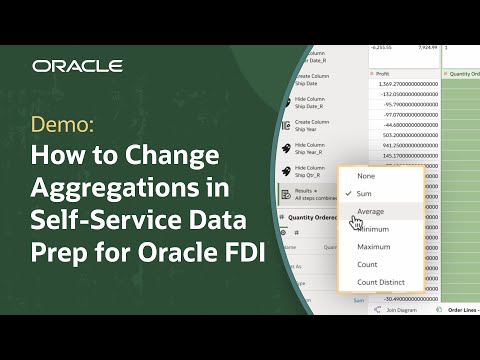
Lock key filters in Oracle Fusion AI Data Platform so consumers see consistent data while still adding their own filters.
For steps to allow Add Filters only and prevent pinning or deleting important filters, check out the resources linked below.
In this demo, you learn how to limit consumer interactivity with the filter bar in Oracle Fusion AI Data Platform so workbook views stay consistent and aligned with the intended business narrative. By controlling filter actions, workbook authors can reduce the risk of misinterpretation and prevent consumers from changing critical context, while still enabling self-service analysis.
The walkthrough starts with a workbook that uses a canvas filter to show only United States business unit data. In Preview, you see the default consumer experience, which includes the ability to change filter values, pin a canvas filter as a workbook filter, or delete a filter. Because pinning can turn a canvas filter into a workbook-level filter that affects every canvas, unrestricted actions can change what data consumers see across the workbook.
Next, you update the consumer experience settings by going to the Present tab and adjusting Filter Actions. To keep required filters locked while allowing ad hoc analysis, you clear all filter actions except Add Filters. You then return to preview to validate that consumers can add new filters, such as worker category, while the business unit name filter remains static and cannot be removed or changed.
Please note: Oracle Fusion Data Intelligence (FDI) is now called Oracle Fusion AI Data Platform (FAIDP). All content remains the same, only the product name has changed.
Find training paths for Oracle Analytics and AI from beginner to advanced and expert: https://social.ora.cl/6003B6ETWP
Check out detailed instructions on how to set the workbook properties in present: https://social.ora.cl/6003B6EToX
Check out detailed instruction son how to set canvas properties in present: https://social.ora.cl/6009B6ETUR
Explore self-paced short courses in Oracle’s Analytics and AI Learning Hub: https://social.ora.cl/6001B6ETqR
Like what you learned about Oracle Fusion AI Data Platform? Subscribe now https://social.ora.cl/60025k87j
Join us at Oracle AI World: https://social.ora.cl/60035eVvJ
Contact AIDP sales: https://social.ora.cl/6003FLUMT
Learn more about Oracle AIDP: https://social.ora.cl/60047h76Q
Join the Oracle AIDP Community: https://social.ora.cl/60087h7Bj
Follow us here:
LinkedIn: https://social.ora.cl/60035eXuF
X: https://social.ora.cl/6008abVgG
Instagram: https://social.ora.cl/60095eXDN
Facebook: https://social.ora.cl/60065enQp