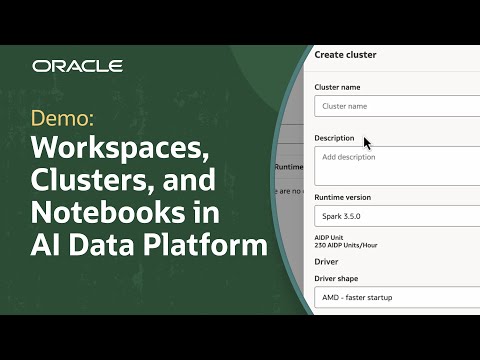
Create organized, collaborative data science environments with secure workspaces, compute clusters, and notebooks in Oracle AI Data Platform Workbench: https://social.ora.cl/60017qEqU
This tutorial demonstrates how to set up a workspace, configure a compute cluster, and create a notebook in Oracle AI Data Platform Workbench. Follow step-by-step instructions for building dedicated environments for team projects—starting with workspace creation, folder organization, and user permission assignments to manage access at every level. Learn how to launch compute clusters for running Python and SQL workloads, select optimal cluster shapes and settings, and install required libraries using a requirements.txt file. See how to link clusters to notebooks, enabling seamless development, collaboration, and visualization directly within the platform. Notebook features are highlighted, including interactive code execution, language options, and formatting tools designed for both analysis and team cooperation. Oracle AI Data Platform Workbench delivers the flexibility, security, and scalability needed to streamline analytics and AI development in the cloud, supporting data-driven initiatives from initial setup to advanced solution delivery.
Check out the Oracle Analytics Community for discussions, resources, and training opportunities: https://social.ora.cl/60027qBPy
For more information, see User Assistance documentation on:
How to setup workspaces, external catalogs, and data assets in a private network: https://social.ora.cl/60047qBuy
Managing libraries: https://social.ora.cl/60087qBu0
Developing code in notebooks: https://social.ora.cl/60087qBRe
Contact FDI sales: https://social.ora.cl/6003FLUMT
Learn more about Oracle FDI: https://social.ora.cl/6009FLU33
FDI customer success stories: https://social.ora.cl/6002FLU3Q
Follow us here:
LinkedIn: https://social.ora.cl/60035eXuF
X: https://social.ora.cl/6008abVgG
Instagram: https://social.ora.cl/60095eXDN
Facebook: https://social.ora.cl/60065enQp