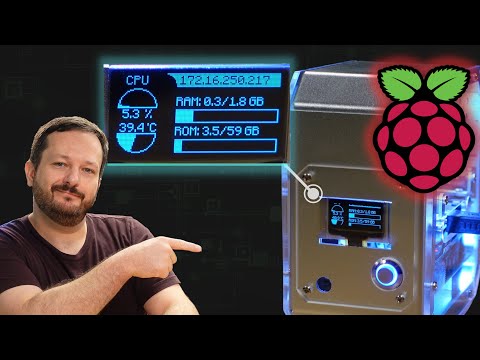
The TinyPilot Voyager 3 aims to deliver a modern take on KVM-over-IP, offering remote console access without relying on Java or legacy browser plugins. In this video, I take a hands-on look at the upcoming TinyPilot Voyager 3 to see how well it works, what features it includes, and whether it’s worth considering for homelabs, servers, and remote system management.
I start by explaining what TinyPilot is and how it compares to traditional solutions like IPMI, then walk through the setup process, web console, and included software. From there, we look closely at the hardware design, ports, and build quality, followed by a detailed demo of the HTML5 remote console and virtual media support for mounting ISOs and booting systems remotely.
If you’re searching for a clean, modern KVM-over-IP solution, curious whether TinyPilot can replace IPMI for your workflow, or want a Java-free way to manage headless systems, this review will help you understand what the Voyager 3 brings to the table and who it’s best suited for. I also cover pricing and overall value to help you decide if it makes sense for your setup.
*🌐 Video-specific Links*
• Check out the TinyPilot Voyager 3 (affiliate link) ➜ https://learnlinux.link/tinypilot
• TinyPilot Github Repository ➜ https://learnlinux.link/tinypilot-github
*❤️ Consider becoming a Channel Member*
Support Linux Learning and gain acess to exclusive perks, such as ad-free content and early access to select videos. Your support really helps!!!
Join here ➜ https://learnlinux.link/member
*🛍️ Support The Channel and Get Awesome Linux Swag!*
Head on over to the Learn Linux TV Merch Shop and check out some great Linux-themed gear, including (but not limited to) T-shirts, drinkware, buttons, stickers and more!
• "apt install coffee" T-Shirt ➜ https://learnlinux.link/apt-install-coffee
• "sudo" T-Shirt ➜ https://learnlinux.link/sudo-shirt
• Linux Commands Cheat Sheet ➜ https://learnlinux.link/linux-commands
• "May Spontaneously Talk About Linux" T-Shirt ➜ https://learnlinux.link/talk-about-linux-shirt
• "Dark Side of the Terminal" T-Shirt ➜ https://learnlinux.link/dark-side-shirt
• Lots more ➜ https://merch.learnlinux.tv
_Use coupon code "LINUXFAN" to get 10% off your entire order ➜ https://merch.learnlinux.tv_
*🐧 Other Ways to Support Learn Linux TV*
• Channel Membership ➜ https://learnlinux.link/member
• Patreon ➜ https://learnlinux.link/patron
• Spin up your very own Linux server ➜ https://learnlinux.link/digitalocean
• Linux swag ➜ https://merch.learnlinux.tv
• Check out Netdata ➜ https://learnlinux.link/netdata
• Jay’s Gear ➜ https://learnlinux.link/amazon
_Note: Royalties and/or commission is earned from each of the above links_
*🕐 Time Codes*
00:00 – Intro
01:22 – Review Disclaimer and Transparency
02:06 – What Is TinyPilot? (KVM-over-IP Explained)
03:41 – TinyPilot Voyager 3 Setup and Included Software
04:38 – Build Quality, Hardware Design, and Ports
05:54 – Initial Setup and Remote Console Access
06:35 – If you need assistance, consider my one-on-one consulting service
08:23 – TinyPilot Voyager 3 HTML5 Console Demo
09:15 – Virtual Media Support and ISO Mounting
10:24 – Exploring More TinyPilot Voyager 3 Features
11:02 – TinyPilot Voyager 3 Pricing, Value, and Verdict
*🎓 Full Linux Courses*
• Linux Crash Course ➜ https://linux.video/cc
• tmux ➜ https://linux.video/tmux
• vim ➜ https://linux.video/vim
• Bash Scripting ➜ https://linux.video/bash
• Proxmox VE ➜ https://linux.video/pve
• Ansible (Udemy) ➜ https://learnlinux.link/ansible
• Linux Essentials (Udemy) ➜ https://learnlinux.link/linux-essentials
*🎓 More About Learn Linux TV*
• Main site ➜ https://www.learnlinux.tv
• Community Forums ➜ https://community.learnlinux.tv
• Github Account ➜ https://github.com/LearnLinuxTV
• Content Ethics ➜ https://www.learnlinux.tv/content-ethics
• Request Paid Assistance ➜ https://www.learnlinux.tv/request-assistance
⚠️ Use Content Responsibly
Learn Linux TV shares technical content intended to teach and help you, but it comes with no warranty. The channel is not liable for any damages from its use. Always ensure you have proper permissions, follow company policies, and comply with all applicable laws while working with infrastructure.
#Homelab #sysadmin #raspberrypi #kvm