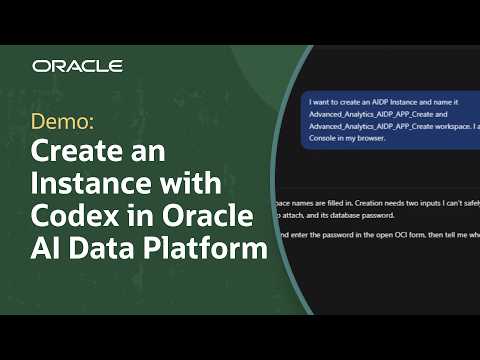
Use Codex to simplify Oracle AI Data Platform instance provisioning through the Oracle Cloud Infrastructure (OCI) Console or command-line interface (CLI) while maintaining control over configuration and execution. See how to create instances, validate OCI permissions, and review provisioning requests with guidance from additional Oracle AI Data Platform resources linked below.
Learn how to create an Oracle AI Data Platform instance using Codex with two provisioning approaches: the Oracle Cloud Infrastructure (OCI) Console and the OCI command-line interface (CLI). This tutorial demonstrates how Codex assists with instance creation, configuration, and provisioning while allowing you to review settings and control when requests are submitted.
The first approach uses Codex with an authenticated browser session and the Codex browser extension to navigate the OCI Console. The tutorial covers specifying instance and workspace names, configuring an Oracle AI Data Platform instance, and creating an Oracle Autonomous AI Lakehouse with the standard access policy. It also explains the requirement for Autonomous AI Lakehouse 26ai or later to support AI features, along with the password and configuration steps involved in provisioning.
The second approach uses Codex with the OCI CLI. See how Codex validates an authenticated OCI configuration profile, prepares an instance creation command using the appropriate compartment OCID, and presents the command for review before execution. After OCI accepts the request, the instance creation status can be monitored from the Oracle AI Data Platform instances page.
Both workflows require appropriate OCI entitlements and identity and access management (IAM) permissions. By comparing browser-based and command-line provisioning, this tutorial helps you understand how to choose an approach that fits your workflow while maintaining visibility into instance configuration, validation, and creation.
00:00 Introduction to Codex-Assisted Provisioning
00:30 Browser Workflow and Prerequisites
01:05 Configure an Instance in OCI Console
02:00 Review and Submit Browser Provisioning
02:30 OCI CLI Workflow and Prerequisites
03:10 Prepare and Execute CLI Commands
04:10 Verify Instance Creation
Explore detailed written instructions on how to create your first Oracle AI Data Platform: https://social.ora.cl/6009BHDE4S
Find training paths for Oracle Analytics and AI from beginner to advanced and expert: https://social.ora.cl/6009BHDEf5
Like what you learned about Oracle AI Data Platform? Subscribe now https://social.ora.cl/60025k87j
Join us at Oracle AI World: https://social.ora.cl/60035eVvJ
Contact Oracle AIDP sales: https://social.ora.cl/6003FLUMT
Learn more about Oracle AIDP: https://social.ora.cl/60047h76Q
Join the Oracle AIDP Community: https://social.ora.cl/60087h7Bj
Follow us here:
LinkedIn: https://social.ora.cl/60035eXuF
X: https://social.ora.cl/6008abVgG
Instagram: https://social.ora.cl/60095eXDN
Facebook: https://social.ora.cl/60065enQp