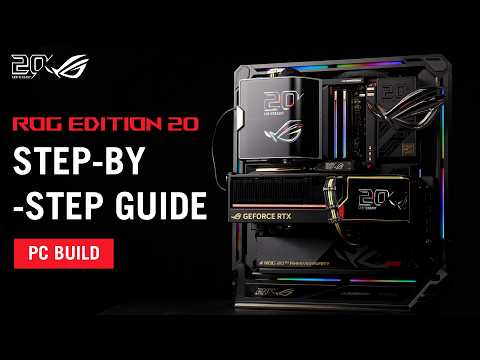
To celebrate the 20th anniversary milestone of the Republic of Gamers, ASUS has custom-built the ultra-exclusive, limited "ROG Edition 20" lineup of PC components.
This video will guide you step-by-step from scratch on how to assemble this ultimate gaming powerhouse! We will walk you through every detail and crucial tip for installing the X870E motherboard, the monster RTX 5090 graphics card, and the Thor power supply. Follow along with these steps and let’s build this dream rig together!
⏱️ Timestamps
0:00 Introduction
0:39 Part 1: Stripping the Motherboard
1:31 Part 2: CPU Installation
2:36 Part 3: M.2 SSD Installation
3:57 Part 4: Chassis Prep
4:41 Part 5: Motherboard Installation
5:11 Part 6: AIO Radiator Bracket
5:33 Part 7: AIO Cooler Installation (Ryujin 360 Edition 20)
6:36 Part 8: Chassis Reassembly for Radiator Routing
8:19 Part 9: PSU Installation
8:55 Part 10: Radiator Fan Installation
9:20 Part 11: PSU Cable Routing
9:53 Part 12: Front-Side Cable Management
11:29 Part 13: GPU Installation
13:13 Part 14: RAM Installation
14:21 Part 15: AIO Pump Screen Installation
15:43 Part 16: Horizontal Mode
17:24 Part 17: Angled Mode
🖥️ Featured Products
Motherboard: ROG Crosshair X870E Edition 20
Graphics Card: ROG Astral GeForce RTX 5090 Edition 20
Power Supply: ROG Thor 3000W Titanium III Edition 20
CPU Cooler: ROG Ryujin Edition 20
PC Case: ROG GR20 Edition 20
#rog #rtx5090 #x870e #pcbuild
#asus #asussupport